2. Small Business Expense Tracking: Digital Receipts, IRS Rules, and Nonprofit Allocations

Updated: Sep 21

We have all been there. You start a business or take over a nonprofit, and suddenly, you are drowning in paper. Every trip to the office supply store, every business lunch, every hardware run leaves you with another little strip of paper. And because you are terrified of an IRS audit, you do not throw them away. Instead, you toss them into a drawer, a folder, or literal shoeboxes. This is what we call the shoebox trap. It is a system born out of pure fear. We have been told for decades that if we do not have physical, paper proof of every single transaction, the government will come down on us, disallow our deductions, and hit us with massive penalties. So we hoard these papers like treasure, hoping we never have to look at them again. But the truth is, this physical hoarding is actually putting your business at risk, and it is a massive waste of your administrative energy. Let us look at why this physical system is fundamentally broken, starting with the actual science of the paper itself.
Think about the receipts you get from a gas station or a grocery store. They are not printed with ink. They are printed on thermal paper. This paper is coated with chemicals, including bisphenol A or bisphenol S, which turn dark when they are exposed to heat. The receipt printer does not use ink cartridges; it uses a heated printhead to burn the text onto the page. Because of this chemical process, thermal paper is incredibly unstable. If you leave a receipt in your pocket and it goes through the wash, it is gone. If you leave it in the cup holder of your car on a sunny afternoon, the heat turns the whole paper black. Even if you store it carefully in a file cabinet or a plastic bin in your office, the text will naturally fade. Light, friction, and mild ambient heat cause the chemical reaction to break down, leaving you with a completely blank sheet of paper in a matter of months, or a year at most. Now, think about how an audit works. The I-R-S does not audit you the week after you file your taxes. They typically show up two or three years down the road. By the time an examiner asks to see the proof for a major purchase from three years ago, your shoebox is full of legally worthless, blank white slips. You have kept the trash and lost the proof.
Beyond the physical degradation of the paper, the manual administrative burden of a physical filing system is a silent killer for small businesses and charities. Imagine an auditor asking to see five specific receipts from two years ago. If you have to dig through physical files, folders, or boxes, you are going to spend hours of frustrating administrative work just to find a few pieces of paper. That is time you are not spending on growing your company, serving your community, or finding new clients. If you cannot produce those documents quickly, the auditor can disallow those tax deductions, which leads to immediate back-taxes, interest, and penalties. Transitioning away from this paper-heavy process is one of the easiest, fastest, and most satisfying wins you can get in your business operations. It turns a source of constant low-grade anxiety into a streamlined system that runs in the background.
Let us talk about the actual legal rules, because this is where many business owners find real relief. You do not need to keep physical paper receipts. The breakthrough ruling that changed everything is called IRS Revenue Procedure ninety-seven twenty-two. The IRS published this guidance way back on March thirty-first, nineteen ninety-seven. Yes, you heard that right. The federal government has officially accepted digital records in place of paper originals for almost thirty years. Under this procedure, taxpayers are fully permitted to maintain their books and records using an electronic storage system. This system can either scan hardcopy paper documents or transfer electronic records directly to digital media. Once you have a compliant digital copy, you are legally allowed to throw the original paper receipt straight into the recycling bin. But before you start shredding everything, you need to understand the six strict conditions the digital system must meet to keep you fully compliant.
The first requirement is accurate and complete reproduction. Your digital image must capture every single piece of information from the original document. This means no blurry photos, no cut-offs, no cropped edges, and no fingers blocking the text. If an auditor cannot see the vendor name, the date, or the specific line items because they were cropped out, the image is legally useless. The second requirement is legibility on demand. Your electronic storage system has to be able to display and print highly legible copies for I-R-S examiners. If a photo is too dark, or the resolution is so low that the letters are fuzzy, it does not count. The standard is simple: can a human examiner easily read every line on the screen and on a printed page? If the answer is no, the document is invalid.
The third requirement is where most casual setups fall apart: you must have an indexing and retrieval system. This means your records have to be organized so that you can quickly locate any specific document when requested. If you just take photos of your receipts and save them in a giant, disorganized cloud folder with names like photo one, photo two, or a string of random numbers from your phone camera, you are not compliant. The files must be searchable. You need to be able to look up records by date, by vendor, or by expense category. The fourth requirement is quality assurance testing. You have to perform regular checks to make sure your scanning or capturing processes are working correctly and producing clean, readable copies. This does not have to be a major administrative chore; it is as simple as checking your digital files once a month to ensure your phone camera lens is not dirty and the files are saving correctly.
The fifth requirement is internal access controls. You must establish reasonable security procedures to prevent unauthorized people from editing, tampering with, or accidentally deleting your tax records. This means using password-protected systems, restricting access to only the people who need it, and ensuring your files are backed up safely. The sixth and final requirement is retention for statutory periods. You have to keep these digital files for as long as they are material to tax administration. Normally, for a standard small business, the statute of limitations is three years after you file your tax return. However, if you accidentally underreport your gross income by more than twenty-five percent, that window doubles to six years. And if you are claiming a loss or a bad debt deduction, you have to keep the records for seven years. To play it safe, most bookkeepers recommend keeping your digital receipt archive for at least seven years before purging any records.
Now let us clear up one of the biggest and most dangerous myths in the business world: the seventy-five dollar receipt rule. Under IRS Publication four sixty-three, there is a guideline that says business owners are not strictly required to keep written receipts for business expenses that are under seventy-five dollars. Many people hear this and think they can just spend forty or fifty dollars on anything they want and never have to document it. That is a massive mistake. First of all, there are critical exceptions to this rule. The biggest exception is lodging. You must keep a receipt for every single travel lodging expense, even if it is under seventy-five dollars. If you stay in a cheap motel for sixty dollars, you absolutely must have a receipt to deduct it.
The second, and more important, exception is the requirement of substantiation. Even if an expense is under seventy-five dollars and you do not need a physical receipt, you still have to prove that the expense actually occurred and was business-related. You must document the exact cost, the date, the time, the location, and the specific business purpose. Trying to recreate this information years later during an audit is almost impossible. That is why it is always safer to capture a digital receipt for every single purchase, no matter how small. It prevents gaps in your documentation that an auditor can exploit. The most common thing challenged in an audit is not whether you spent the money; it is why you spent it. This is what we call the business purpose gap. A bank statement that shows you spent one hundred and twenty dollars at a nice restaurant proves you spent the money, but it does not prove it was a valid business expense. Under Treasury Regulation Section one point two seven four-five T, you must record the actual business purpose and the professional relationships involved.
This is where a simple, daily habit saves you thousands of dollars in potential taxes. The very moment you take a picture of a receipt, write or type a quick, single-sentence annotation directly on the digital file or in your expense app. For example, write client dinner, discussed third-quarter renewal with Sarah Chen. That tiny, ten-second detail turns an ambiguous restaurant photo into a rock-solid, audit-ready document. It bridges the gap between a personal meal and a legitimate, deductible business expense. If you build this habit of instant annotation, you will never have to stress about an auditor questioning your write-offs.
Now let us switch gears and talk about nonprofits. If you run a charity, a community association, or a non-governmental organization, expense tracking is a completely different ballgame. For-profit businesses track their expenses by natural classification. They want to know what they bought, like office rent, travel, utilities, or marketing. But nonprofits have to go a major step further. They are legally required to categorize every single dollar spent according to its purpose. This is known as functional expense tracking. It means you do not just record that you spent five hundred dollars on printing; you have to document whether those flyers were used to run a community program, to send out donor invitations, or to print internal administrative manuals.
This requirement is governed by the Financial Accounting Standards Board under standard ASU twenty sixteen fourteen. Under these rules, every nonprofit must show a clear relationship between their functional expenses and their natural expenses. This information is compiled on a specific document called the Statement of Functional Expenses. It is a grid that lists natural expenses, like salaries, rent, and supplies, down the side, and functional classifications across the top. Major donors, foundations, and watchdog organizations look at this statement very closely. They want to see exactly how much of your money goes toward your actual mission versus how much is spent on overhead and fundraising.
To do this correctly, you must understand the three core functional classifications. The first is program services. These are the expenses directly tied to fulfilling your nonprofit's mission. If you run a literacy charity, buying books for children or hiring tutors are program expenses. If you run an animal shelter, buying pet food, paying for veterinary care, or purchasing cleaning supplies for the kennels are program expenses. Watchdog groups and sophisticated donors love to see a high program expense ratio. Ideally, they want to see that at least sixty-five to seventy-five percent of your total spending goes directly into program services. If your ratio is too low because your administrative costs are too high, it can hurt your credibility and limit your ability to win grants.
The second classification is management and general expenses, which people often call administrative costs or overhead. These are the expenses required to keep the organization running on a daily basis, but they are not directly tied to a specific mission activity. This includes things like board meeting expenses, bookkeeping services, payroll software, office rent, and general liability insurance. The third classification is fundraising. These are the costs you incur to bring money into the organization. This includes purchasing donor management databases, planning annual galas, hiring fundraising consultants, and printing and mailing direct-mail donation appeals. Keeping these three categories clean is vital for your annual Form nine ninety filing.
The tricky part of nonprofit bookkeeping is that many of your daily expenses do not fit neatly into just one bucket. They are mixed. For example, let us say your nonprofit rents a physical building for three thousand dollars a month. If eighty percent of the building's square footage is used directly to run your free tutoring programs, and the other twenty percent contains administrative desks and filing cabinets, you cannot code the entire rent to administration. You have to allocate it proportionally. In this case, you would code twenty-four hundred dollars to program services and six hundred dollars to management and general. The same rule applies to staff salaries. If your executive director spends half their time teaching workshops and the other half writing donor proposals, their compensation must be split fifty-fifty between program services and fundraising based on documented time tracking.
Manually calculating these splits every time you pay a bill is exhausting. The easiest way to handle this is by using modern accounting software. By utilizing features like classes or tags in QuickBooks, you can assign programmatic or administrative codes to every receipt at the very moment of entry. When you scan a receipt for office paper, you can split it forty percent to program and sixty percent to admin right inside the app. This builds your Statement of Functional Expenses automatically throughout the year, so you are not scrambling to recreate it when your annual audit or tax filing comes around.
Now that we understand the legal and compliance rules for both businesses and nonprofits, let us build a practical system to automate all of this. You do not need to spend hours every week managing receipts. By establishing a frictionless, four-step digital pipeline, you can turn expense tracking into a background process that takes less than five minutes a week. Let us walk through this automated pipeline step-by-step.
Step one is the absolute foundation of all good bookkeeping: a clean separation of accounts. You must never, under any circumstances, co-mingle your personal money with your business or nonprofit money. If you are using your personal credit card for business expenses and trying to sort through them at the end of the month, you are making your life ten times harder. Open a dedicated business checking account and get a dedicated business credit card. From that moment on, use that card exclusively for business purchases. This creates a clean, continuous digital feed of every transaction, which plugs directly into your accounting software. You will not have to guess whether a transaction was for office supplies or personal groceries.
Step two is establishing a point-of-sale capture habit. The easiest time to scan a paper receipt is the exact second it is handed to you at the cash register. Do not put it in your wallet. Do not toss it on the passenger seat of your car. Keep your receipt-scanning app on the home screen of your phone. As soon as you get the receipt, open the app, snap a clear photo, type in a quick one-sentence business purpose, and then immediately toss the paper receipt into the trash. It takes five seconds, and it ensures that you never lose a document to fading, damage, or neglect.
But what about the receipts that never exist on paper? In our modern world, more than half of our purchases happen online. You get receipts from software subscriptions, online retailers, and digital services delivered straight to your email inbox. For these born-digital receipts, do not print them out just to scan them. That is a waste of paper and time. Instead, take advantage of the digital tools at your disposal. Most modern accounting platforms give you a unique, dedicated email address for receipt forwarding, like receipts at your company dot com or a custom address linked to your software. You can set up simple inbox rules in Gmail or Outlook to automatically forward any email containing the word receipt or invoice directly to that address. The software will receive the email, extract the PDF attachment, and match it to your transactions automatically.
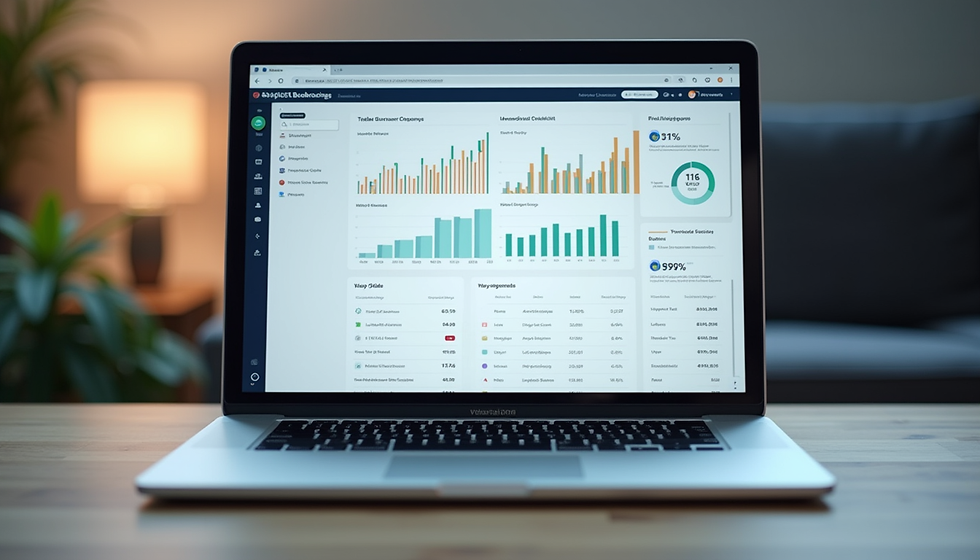
Step three is utilizing the power of modern expense management platforms. The technology available in twenty-sixteen, or rather the current landscape of twenty-six, is incredible. These modern systems use optical character recognition powered by artificial intelligence to read your scanned documents. The artificial intelligence automatically extracts the merchant name, the transaction date, the individual line items, the sales tax, and the total amount. It pre-fills your expense forms with high accuracy, so you do not have to manually type in a single number.
Let us look at some of the top platforms leading the industry. If you use corporate cards like Ramp or Brex, the process is incredibly slick. The very second you swipe your business card, the system sends a text message to your mobile phone. You simply reply to that text with a photo of the paper receipt, and the platform uses artificial intelligence to match that photo to the exact card charge instantly. It is an effortless experience. If you are handling incoming bills and accounts payable, platforms like BILL are fantastic. They let you scan invoices, set up multi-level approval chains for your team, and execute high-accuracy digital payments, keeping your whole team aligned and secure.
For startups and freelancers looking for an affordable, highly scalable option, Zoho Expense is a great tool that grows with your business. And if your organization does business internationally or deals with multiple currencies, platforms like Airwallex are built specifically to handle global expense tracking and multi-currency conversions smoothly. By plugging these tools into your bank feed, you eliminate ninety percent of the manual data entry that makes bookkeeping feel like a chore.
While these tools are incredibly powerful, we know that setting up software, creating custom email forwarding rules, interpreting I-R-S regulations, and trying to allocate functional expenses for a nonprofit can still feel overwhelming when you are busy running your business or pursuing your mission. That is where we come in. At Archimedes Ledger, we remove the friction and anxiety from your financial operations. We handle the technical setup of your digital receipt-capture tools, sync them with your bank feeds, and make sure every single expense is categorized accurately and legally. For our nonprofit clients, we ensure that every dollar is coded to the correct programmatic or administrative bucket, giving you clean, audit-ready records that please donors and satisfy regulators.
You did not start your business or your charity to spend your weekends typing dates from faded thermal receipts or fighting with spreadsheets. Let professional bookkeepers handle the mechanics so you can focus on growth and impact. Schedule a consultation and learn how we can make bookkeeping an effortless, stress-free part of your back office. Let us get those books balanced together.


Comments